
As more Dynamics 365 Business Central Partners manage growing numbers of customer environments, tools that help centralize administration have become increasingly important. Tasks like monitoring environments, managing apps, and organizing tenants across customers can quickly become difficult to handle manually.
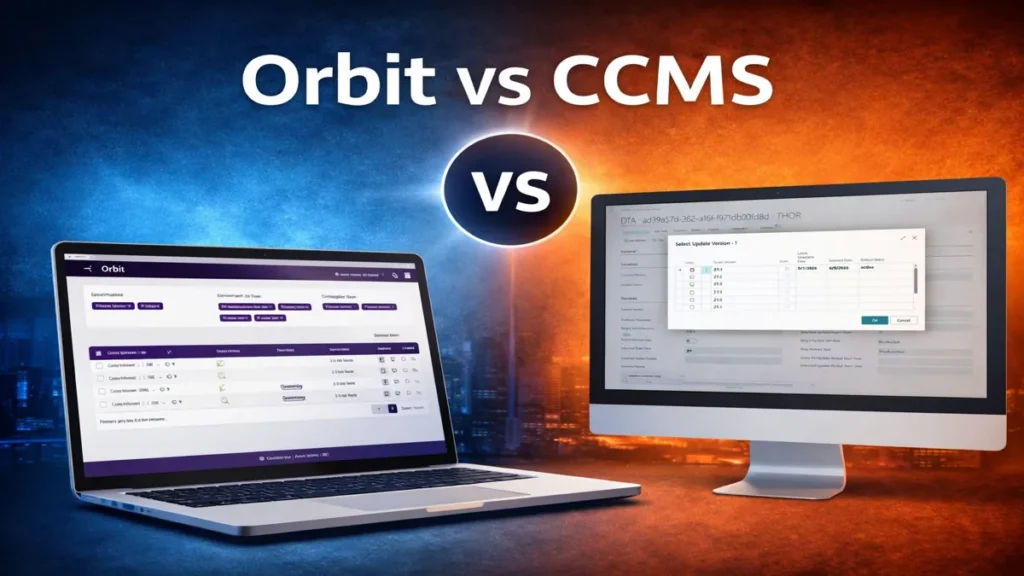
Two tools that approach this problem in different ways are Orbit and CCMS (Centralized Customer Management System). Both aim to simplify Business Central environment management for Partners, but they are built around different architectural ideas.
This article looks at the main differences between the two approaches so Partners can better understand which model fits their operations.
1. Platform approach
The most fundamental difference is where the management platform itself runs.
CCMS runs inside Business Central.
It is implemented as a Business Central extension, meaning the management interface lives within the Business Central client.
Orbit is delivered as a standalone web portal.
It operates outside Business Central and connects to customer tenants and environments through APIs.
This architectural difference leads to several practical implications.
With CCMS:
- A Business Central environment is required to host the solution.
- Administrators interact with the system through Business Central pages.
- Administrative users typically require Business Central licenses.
For many Business Central-focused Partners this is perfectly acceptable. Their teams already spend most of their time in Business Central, so having management tools there may feel natural.
With Orbit:
- No Business Central environment is required to run the platform.
- The interface is a dedicated web portal designed specifically for cross-tenant administration.
- Administrative users do not require Business Central licenses to use the platform.
Some Partners prefer working within the familiar Business Central interface, while others find that managing multiple customers through BC pages can become less convenient as the number of environments grows.
2. App management and PTE support
Application management is one of the core operational tasks for Partners managing multiple Business Central tenants.
Based on current information and demonstrations:
Orbit supports cross-tenant application management, allowing Partners to manage apps across multiple customers from a single interface.
This includes:
- centralized visibility of installed apps
- coordinated deployment operations
- management and deployment of Per-Tenant Extensions (PTEs)
At the moment, CCMS does not appear to support PTE management. For Partners that rely heavily on PTEs, this may limit its usefulness as a central app management tool.
Cross-tenant app operations also appear to be more limited in CCMS. That said, this is an area that may evolve as the product develops.
3. User permission management
Another difference lies in how access to customers and environments can be controlled.
Orbit includes granular access controls that allow Partners to restrict administrative users to:
- specific customers
- groups of customers
- defined operational roles
This can be useful in larger organizations where different teams manage different customers or regions.
For example:
- a support team might only see the customers they support
- a deployment team might have broader access across all tenants
- external contractors might be limited to a small subset of tenants.
This type of segmentation becomes increasingly important as the number of managed customers grows.
Permission management in CCMS appears to rely primarily on standard Business Central security structures. For smaller teams this may be sufficient, but it may require more configuration if Partners want to enforce strict separation between customer groups.
4. Hosting model
Another important distinction is how the platform itself is deployed.
CCMS can be self-hosted.
Partners install and maintain the system within their own Business Central environment.
This gives Partners full control over the infrastructure and data location. For some organizations this is a strong advantage, especially if they prefer to run their own internal systems.
However, self-hosting also means the Partner is responsible for:
- maintaining the Business Central environment hosting the system
- managing updates
- ensuring availability and performance
Orbit is offered as a SaaS platform.
The system is hosted and maintained centrally, and Partners simply connect their customer tenants.
This eliminates the need to operate a dedicated Business Central environment for management tooling and reduces operational overhead. Updates and improvements are delivered automatically.
The trade-off is that the platform itself is not hosted by the Partner.
Two different design philosophies
Ultimately, Orbit and CCMS reflect two different design philosophies for managing Business Central environments.
CCMS extends Business Central itself, placing management capabilities directly inside the ERP system.
Orbit separates operational tooling from Business Central, using a dedicated platform designed specifically for cross-tenant administration.
Neither approach is inherently right or wrong. The best fit depends on how a Partner prefers to operate:
- Partners who want their management tooling inside Business Central may find CCMS appealing.
- Partners who prefer a dedicated platform for cross-tenant operations may prefer Orbit.
As the Business Central ecosystem continues to grow and Partners manage increasing numbers of environments, tools in this category will likely continue to evolve. Understanding the architectural differences helps Partners choose the approach that best fits their operational model.
Interested in trying out Orbit? Sign up today for a free trial using this link.